June 24, 2026
The world is changing faster than ever with AI, and we are enjoying this wild ride of adapting our technologies and development practices to the latest and greatest VLMs, VLAs, segmentation models, and agentic coding tools. MoveIt™ Pro helps robotics teams turn AI-powered prototypes into reliable, production-ready robot behavior. This newsletter features support for new AI models including Gemini, SAM3, Claude, and Codex. We also have some exciting updates to our VLA training pipeline on the horizon.
In this update
- Case Study: Inventia Life Science
- New Features in MoveIt Pro
- Visual Reasoning VLMs with Gemini Robotics ER
- Segment Anything Multimodal AI Support
- Agentic AI Coding Support
- Trajectory Stitching via Smooth Blending
- ROS™ Jazzy, and Space ROS, Support
- Mobile-Base Navigation with Continuous Replanning
- Custom View Panes in the UI
- Easier Teleop with Ghost Preview
- New Planning Scene Sidebar for Environment Editing
- Camera Field of View Visualizations for Digital Twins
- Faster and Better Physics Simulation
- Follow Active Node in the Runtime Behavior Tree
- Gamepad Control in Interactive Marker Mode
- Windows Support via WSL
- Partner Spotlight
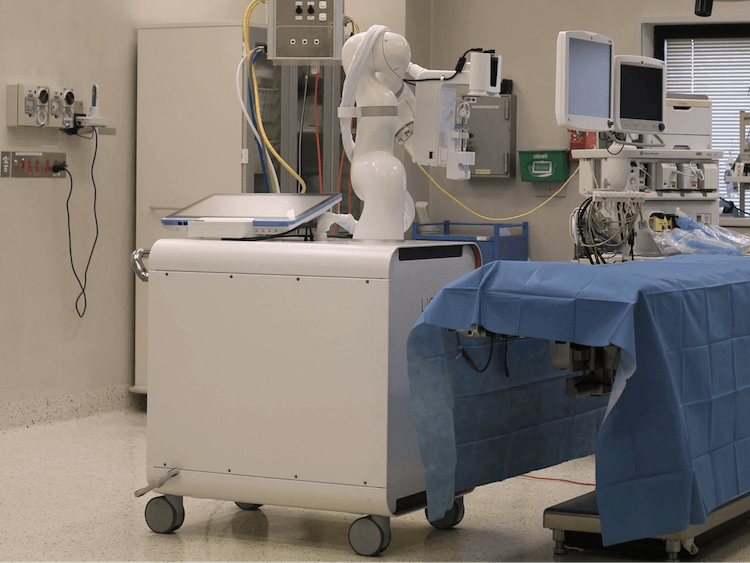
Inventia Life Science Accelerates Clinical Robotics Development
New Features in MoveIt Pro
Visual Reasoning VLMs with Gemini Robotics ER
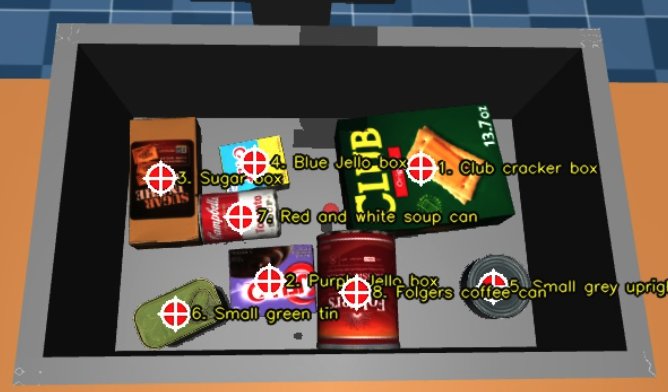
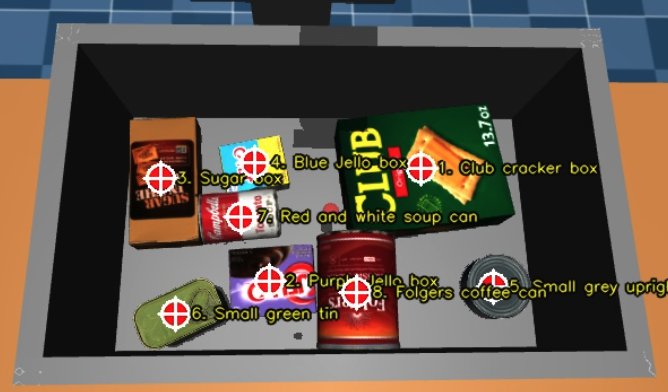
Google Gemini Robotics-ER 1.6 is now integrated, enabling open-vocabulary visual reasoning tasks such as locating objects from natural-language prompts and returning labeled 2D image points. It’s now easy to add multimodal AI perception capabilities to custom workflows without relying solely on traditional perception pipelines.Segment Anything Multimodal AI Support
SAM3-based multimodal image segmentation is now available. This capability enables flexible object detection using combinations of text prompts, exemplar images, and bounding boxes, allowing developers to build robust exemplar-based perception pipelines.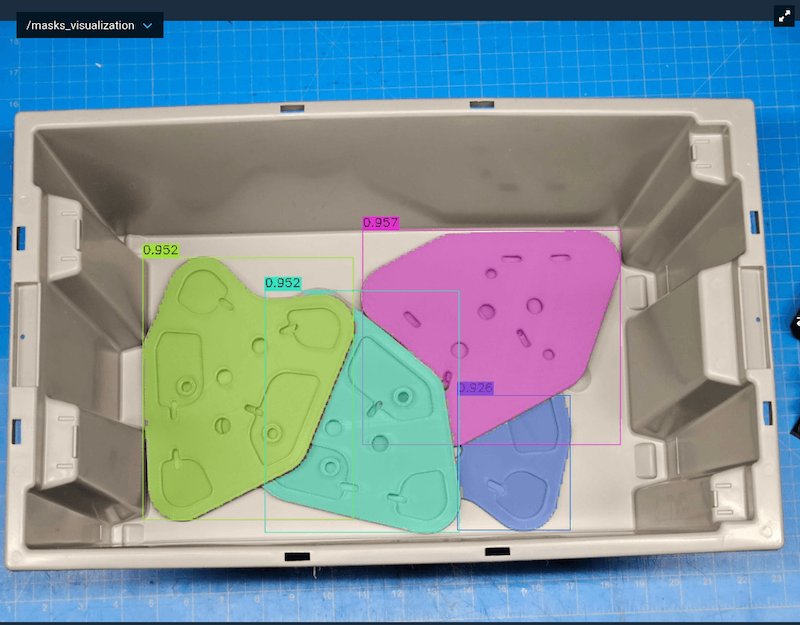
Agentic AI Coding Support
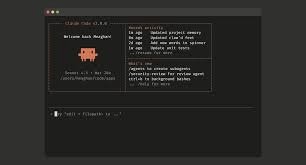
MoveIt Pro now includes pre-built AI coding skills for models such as Claude and Codex, enabling you to build with MoveIt Pro even faster and easier.Trajectory Stitching via Smooth Blending
You can now combine a sequence of joint trajectories into a single, smooth trajectory, eliminating full stops between consecutive motions and significantly reducing cycle time. At each connection point, a jerk-limited transition segment is generated that respects the robot’s velocity, acceleration, and jerk limits.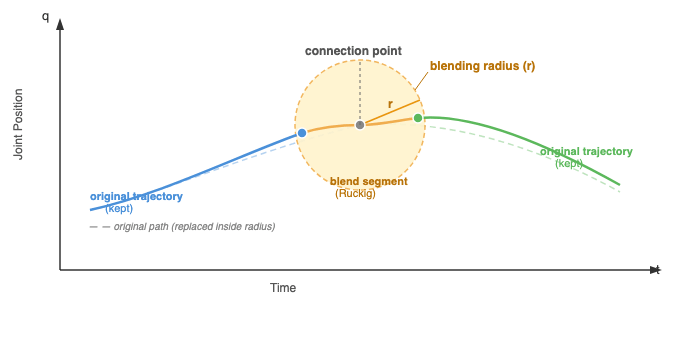

ROS Jazzy, and Space ROS, Support
ROS Jazzy builds are now available, alongside our existing ROS Humble build! ROS Humble is end of life (EOL) next May 2027, so we encourage all our customers to upgrade now. We also have plans to support ROS Lyrical later this year.Mobile-Base Navigation with Continuous Replanning
Support for multi-sensor costmap observation buffers and continuous goal replanning during mobile-base navigation is now available. This enables arm-on-mobile-base applications where the navigation goal can shift mid-traverse and the robot needs to react without restarting the run.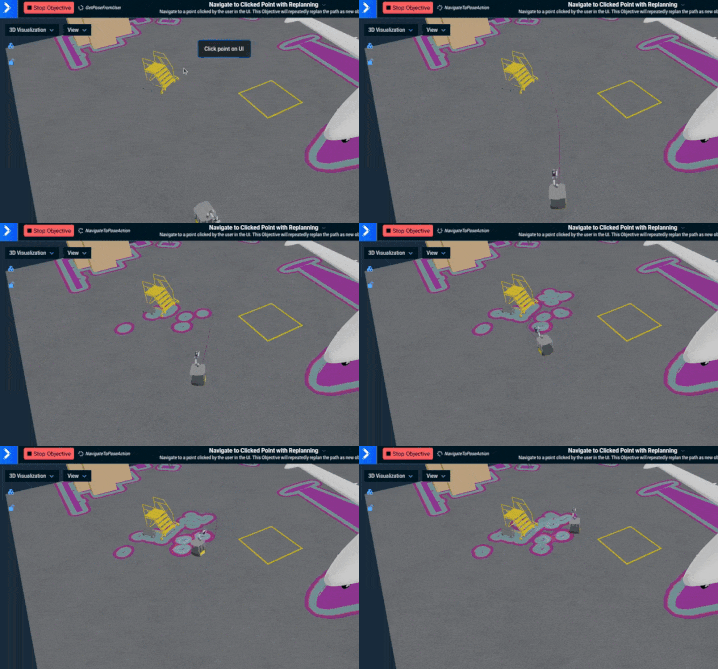
Custom View Panes in the UI
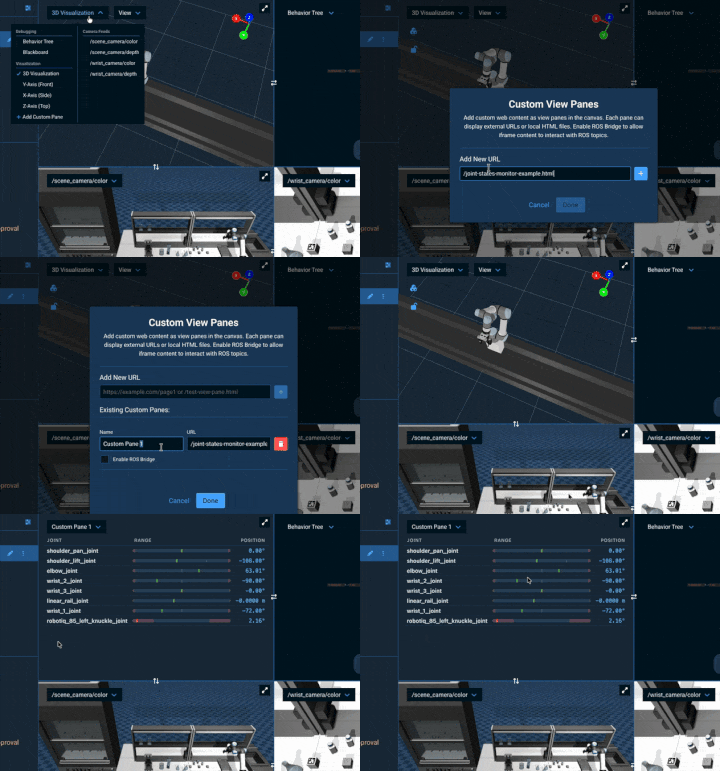
Add custom dashboards, data displays, and web content as custom view panes in the MoveIt Pro UI. You can add external URLs or local HTML files, and optionally enable ROS Bridge for each pane to allow content to interact with ROS topics.Easier Teleop with Ghost Preview
Hovering over teleop buttons now shows a transparent ghost robot previewing the target position to make user understanding easier.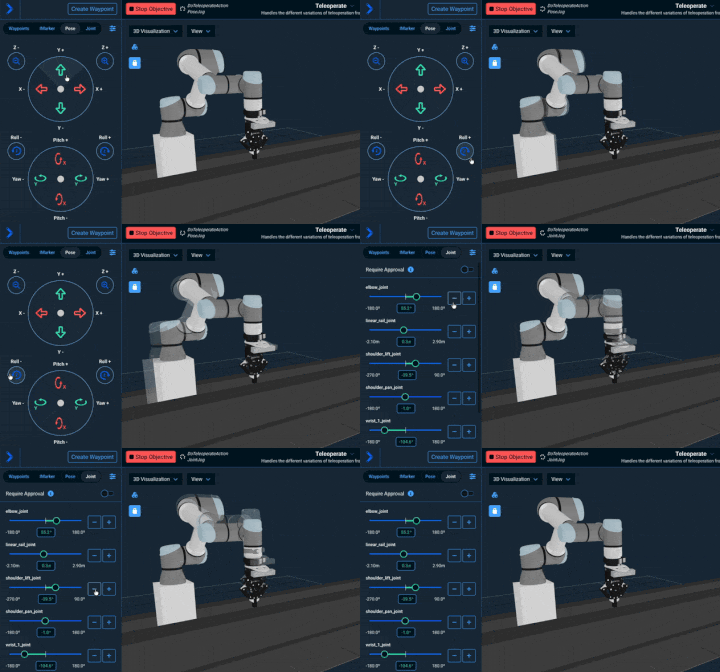
New Planning Scene Sidebar for Environment Editing
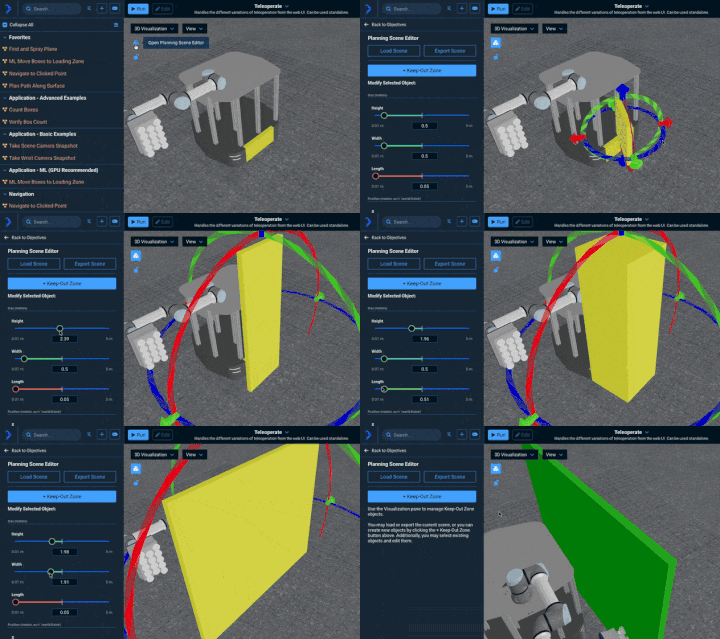
The Keep-Out Zone modal has been replaced with a dedicated Planning Scene Editor sidebar, making it easier to create and edit environment objects in the UI. The new panel supports far more settings than previously available.Camera Field of View Visualizations for Digital Twins
You can now plan out a camera’s viewing frustum (near plane, far plane, and connecting edges) given a camera pose and field-of-view parameters. This is useful for debugging camera placement and coverage in 3D scenes.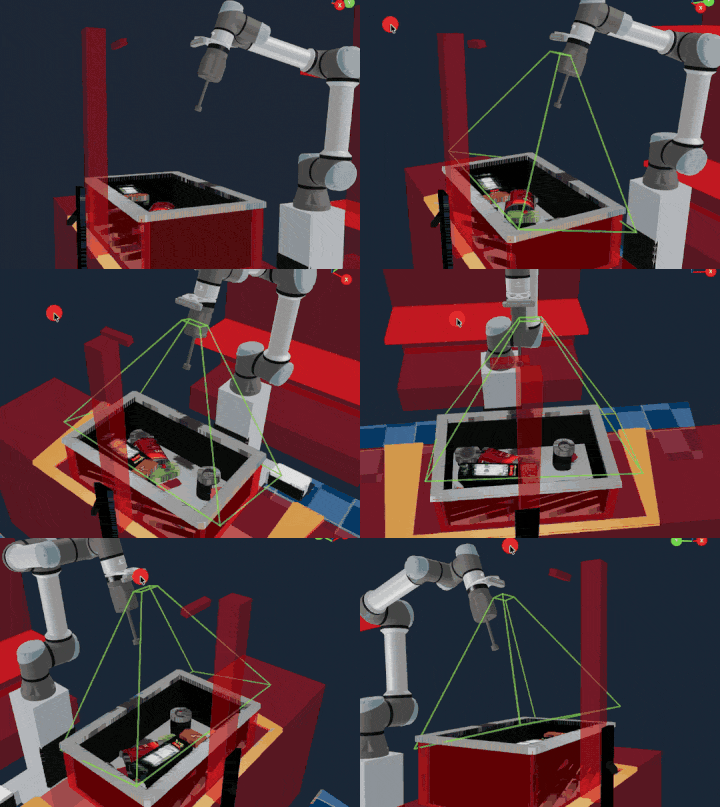
Faster and Better Physics Simulation
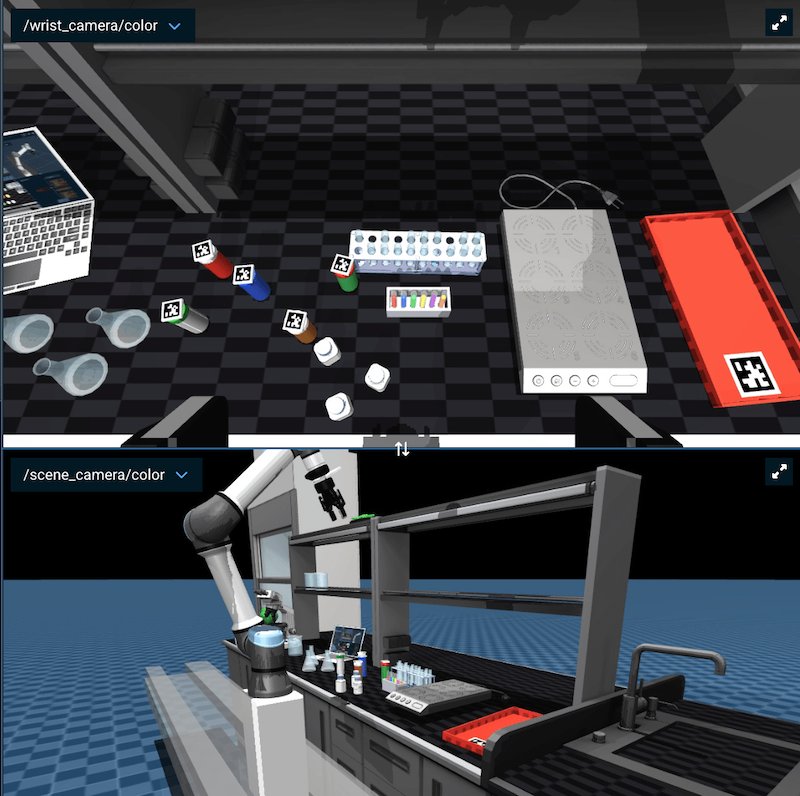
A smarter threading model and the upgrade to MuJoCo 3.6 significantly improves sim performance, reducing realtime timestep warnings and enabling most users to stream 1080p simulated cameras at full rate, among other improvements.Follow Active Node in the Runtime Behavior Tree
A new Follow Active Node toggle in the runtime Behavior Tree view pans the viewport to keep the currently ticking node visible as execution moves through the tree, switching to a tighter Fit to View framing so the active region stays prominent.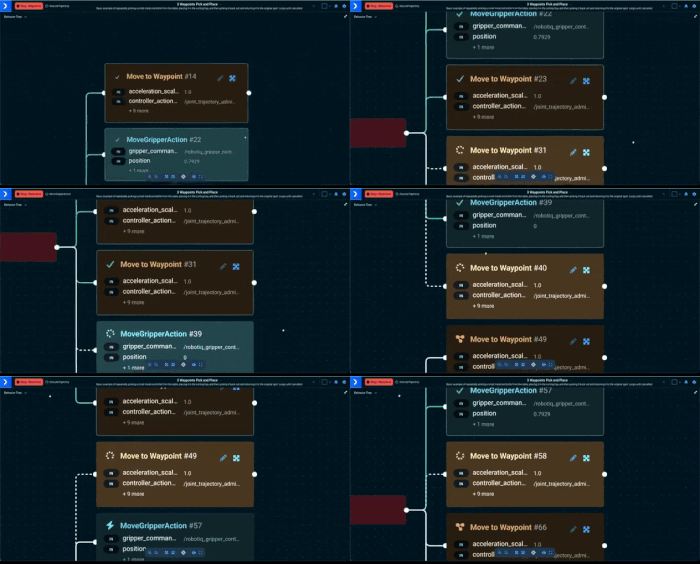
Gamepad Control in Interactive Marker Mode
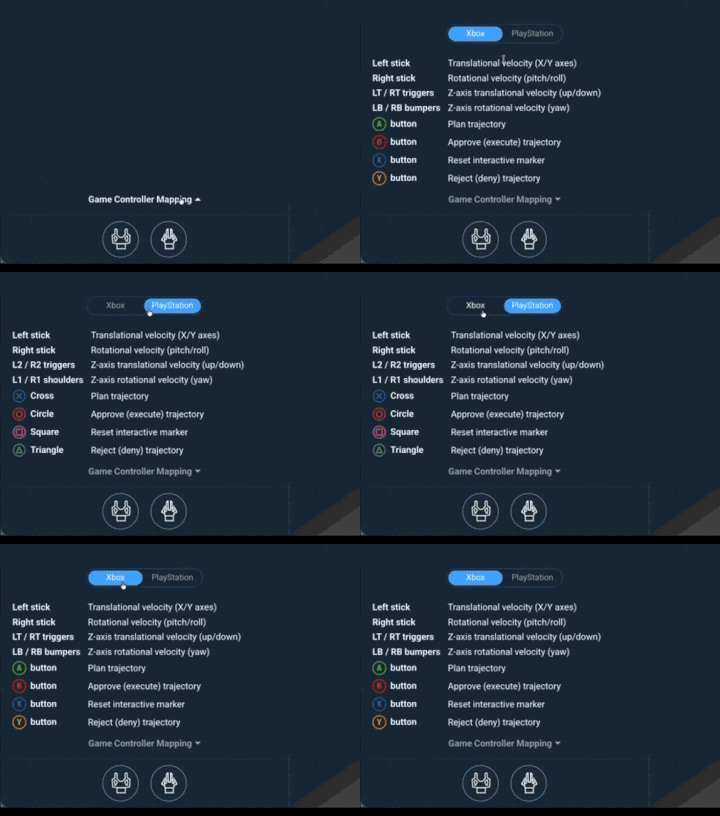
Gamepad controllers now work in I-Marker teleoperation mode, letting operators position the I-Marker with analog sticks and triggers instead of mouse dragging. An in-UI button mapping also makes understanding usage easier.Windows Support via WSL
MoveIt Pro now runs on Windows via Windows Subsystem for Linux (WSL). After installing WSL, follow the standard Ubuntu installation steps inside the WSL Ubuntu shell.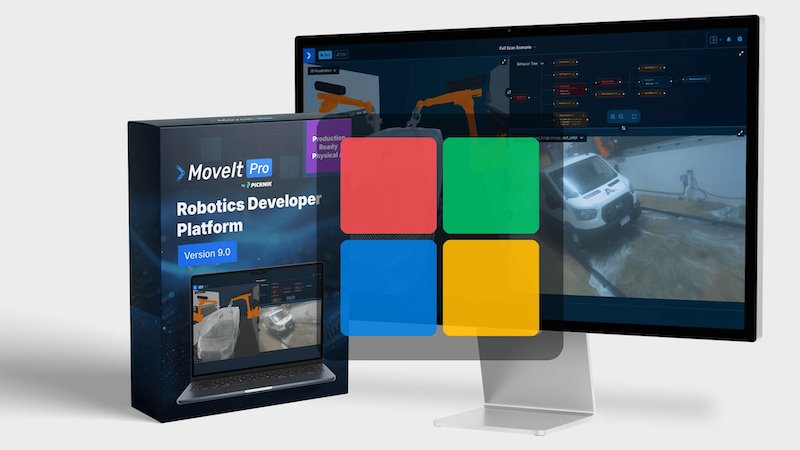
Partner Spotlight
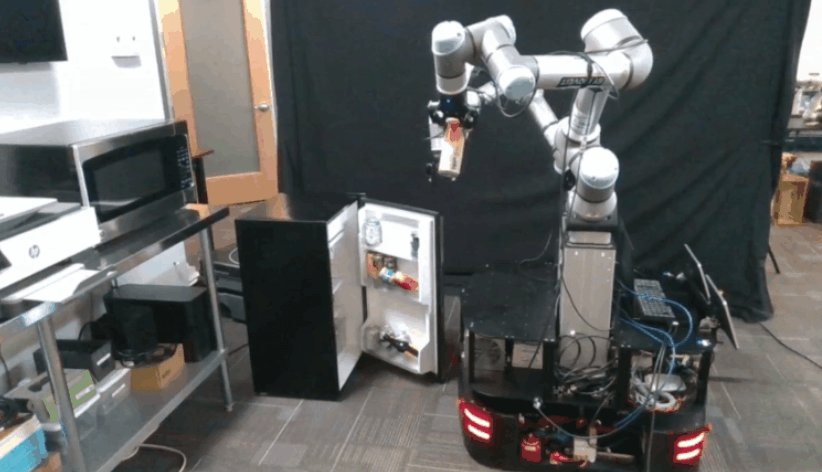
Clearpath Robotics
PickNik collaborates with Clearpath for mobile manipulation, working with their Ridgeback and Husky AMRs to advance our “wheeled humanoids” efforts.
MoveIt Pro is PickNik Robotics’ commercial robotics software platform that extends the capabilities of the open-source MoveIt project. Designed for unstructured environments, MoveIt Pro provides powerful tools for motion planning, grasping, perception, and behavior sequencing. With pre-built robot behaviors and a modular runtime architecture, MoveIt Pro significantly reduces engineering effort and time-to-deployment. Its hardware-agnostic design supports a wide range of commercial and custom robotic arms, making it ideal for scalable automation across space, manufacturing, and logistics sectors.